WhatsApp Notifications and Zapier connect to send instant messages. You can trigger messages from form submissions, emails, and calendar events.
Available on plans:

Free

Professional
Team
Enterprise
Prerequisites
To use the WhatsApp Notifications app on Zapier, you must have:
- A paid Zapier account. WhatsApp Notifications is a premium app on Zapier.
- An active WhatsApp account with a verified phone number.
- Acceptance that messages can only be sent to yourself (the account holder). You cannot send WhatsApp messages to other people's phone numbers.
Connect WhatsApp Notifications to Zapier
To create an app connection to WhatsApp Notifications on Zapier:
- Go to the Apps page.
- Click + Add connection.
- A new dialog box will appear. Search for and select WhatsApp Notifications.
- Click Add connection.
- A Connect an Account page will open in a browser tab or window.
- In the Phone Number (WhatsApp) field's help text, click the hyperlink this link. This will open a new tab in your browser to connect to your WhatsApp account.
- In the new tab, click Continue to Chat.
-
You’ll then be prompted to open WhatsApp.
- If you have the WhatsApp application installed on your computer, you’ll receive a prompt to open up your WhatsApp application.
- If you don’t have the WhatsApp application, you can download it or use WhatsApp Web instead.
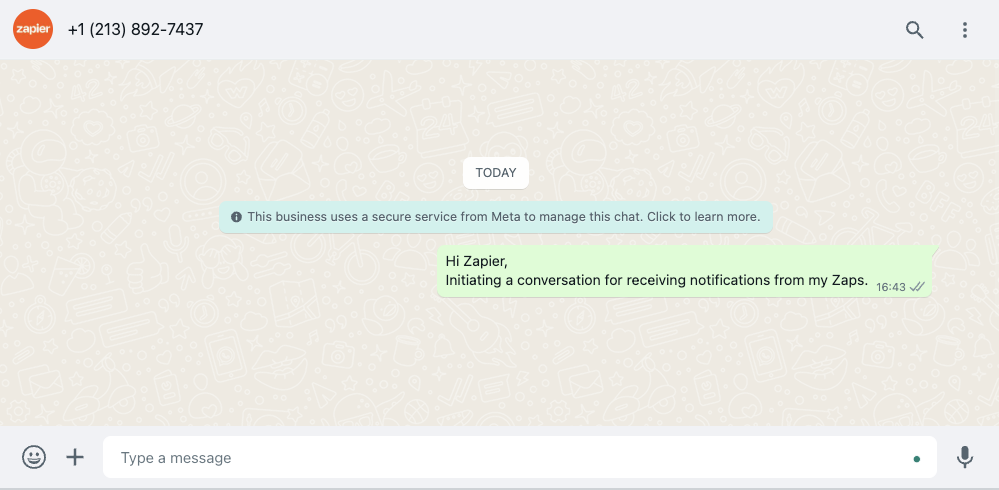
- Once you’ve opened WhatsApp in either the web browser or application, you’ll have a pre-filled message to send to Zapier. Click send.
- Switch tabs to your authentication dialog box tab.
Tip
To switch between tabs, use the keyboard shortcut Cmd + Shift + A (Mac) or Alt + Shift + A (Windows)
- In the Phone Number (WhatsApp) field, add your phone number linked to your WhatsApp account. It must include the country code, without any spaces or dashes.
- Click Send PIN. Zapier will send the OTP Code to your WhatsApp number.
- In the OTP Code field, add the OTP Code.
- Click Yes, Continue to WhatsApp Notifications by Zapier.
- Click Continue.
Your WhatsApp Notifications account is now successfully connected to Zapier.
About WhatsApp Notifications's app
Triggers, searches, and actions
Triggers
- No triggers available
Searches
- No searches available
Actions
- Send Message - Sends a message to a WhatsApp user.
Limitations
- Messages are limited to prefilled templates only. You cannot create custom templates and are restricted to 7 specific templates: New Lead, New Message, Payment Confirmation, New Order, Shipping Confirmation, Calendar Reminder, and Zap Error.
- Message content including template and all information must be 1024 characters or fewer.
- Each link field only accepts one URL.
Templates
View all of WhatsApp Notifications's templates.
Use cases
- 7 WhatsApp Notifications automation ideas
- Get WhatsApp alerts for emails that match keywords in Gmail
- Improve lead conversions with Fillout Forms and WhatsApp Notifications