Ever wonder where you mapped fields between steps in your Zap? Now, you can view those step dependencies when you're in the Zap editor.
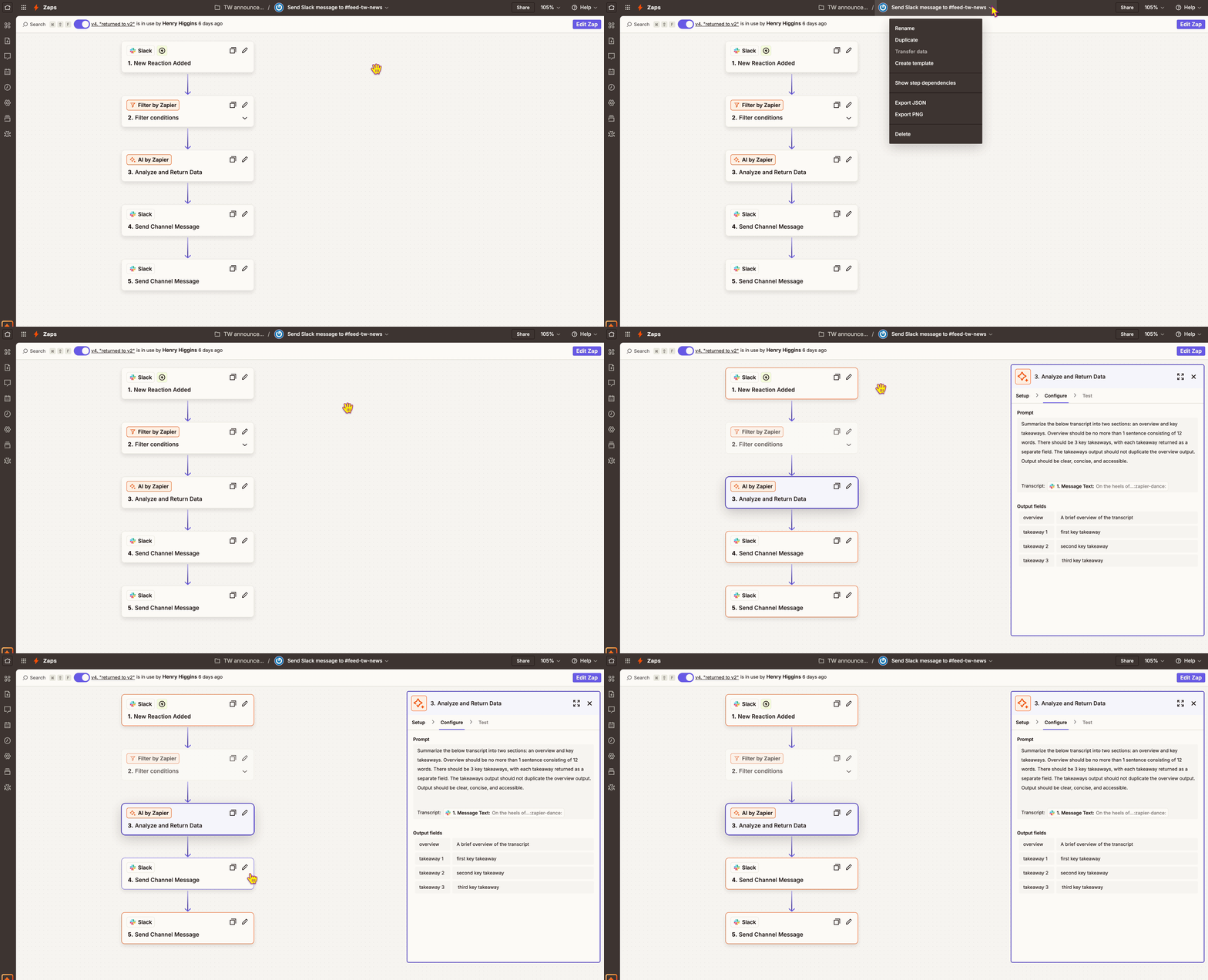
- In the top menu bar, click your Zap's name to open the dropdown menu.
- Select Show step dependencies.
- Select a step in your Zap.
We'll highlight any preceding steps that you mapped data from and any subsequent steps that you mapped this step's data to. To help you focus on the step dependencies, we'll also fade out any steps that have none. This is great when you're reviewing your Zap setup so you can edit steps without accidentally breaking your Zap! Whew!
 Note
NoteThis information was accurate at the time of publication. Please check out the latest product update notes for any updates or changes.