Available on plans:

Free

Professional
Team
Enterprise
You can use Formatter with AI to discover formatting options right from the step you’re building. Describe what you need in plain language and Zapier will draft the relevant Formatter step for you. Easily reformat any data you need and save time from manual editing.
 Beta
BetaFormatter with AI is a beta feature. It's available for use, but still in active development and may change.
Add Formatter with AI in your action step
When you set up your Zap action:
- Click an input field.
- In the dropdown menu, hover over the field you want to map to.
- Click the AI-powered formatter icon that appears next to the field. A dialog box will open.
- Describe what you want to format.
- Click Create step.
- A pre-populated Formatter step will be added to your Zap.
- Fill out any remaining fields in the Formatter step, then click Continue.
- Test your Formatter action.
 that appears next to the field. A dialog box will open.
When you return to the first action step, the Formatter output will be automatically mapped to the input field.
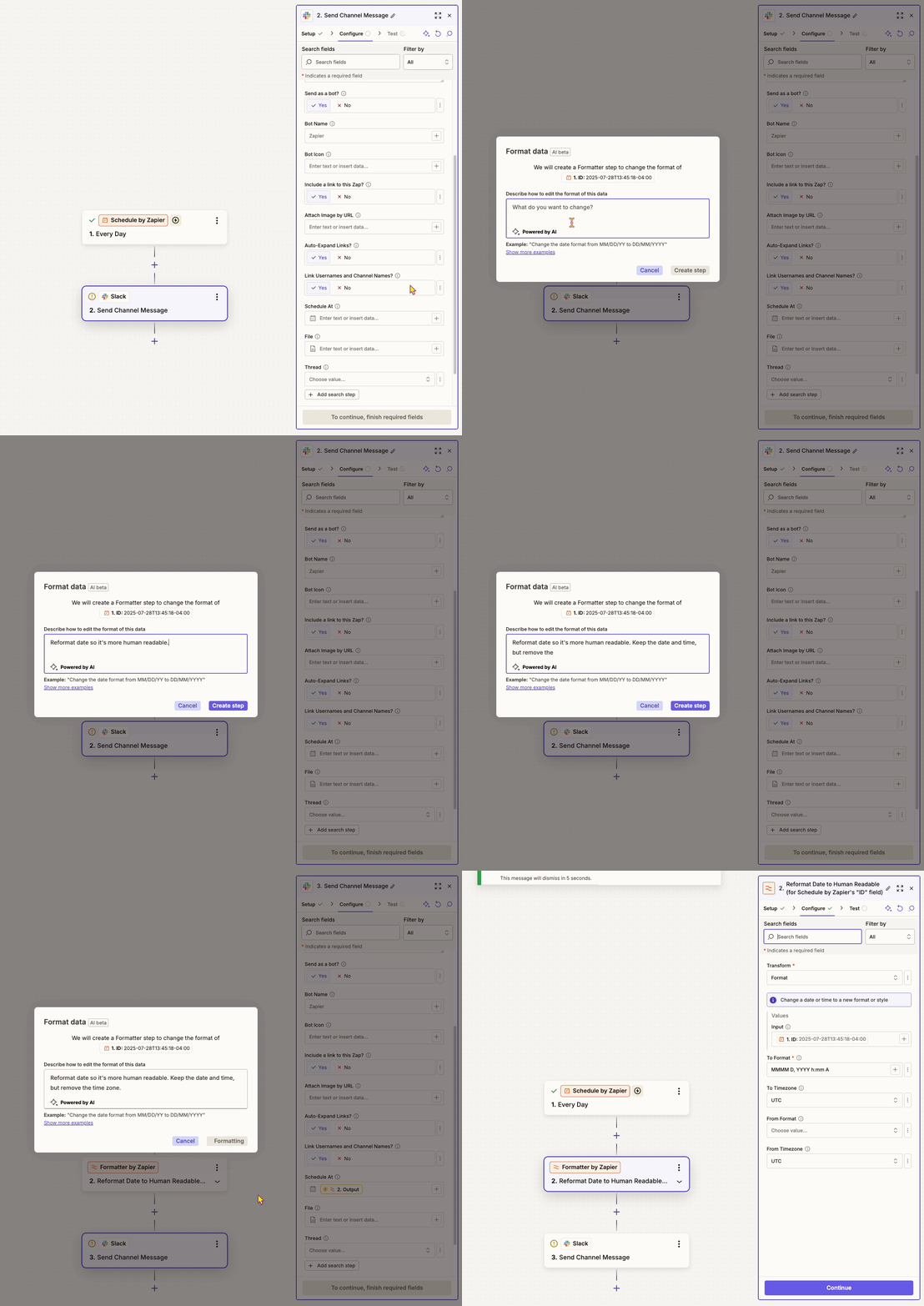
Describe your workflow using plain language like “Change the date and time to this format: Friday, August 19th.” You do not need to use technical language.
Learn more about using Formatter in the Zapier Community.